Quote
Draw the job, work from templates, and prepare a more precise quote.
Hayle software
A connected workspace for solid-surface fabricators to quote work, organize jobs, manage inventory, and keep production moving.
The project
Countertop fabrication involves sales, measurements, material, drawings, machines, installers, and deadlines. When those details live in separate files or conversations, the team spends too much time finding information and reconciling changes.
StoneForge was designed to bring the essential work into one clear system. It connects visual quoting, job planning, production scheduling, and slab inventory so the office and shop can work from the same information.
Draw the job, work from templates, and prepare a more precise quote.
Move accepted work into a schedule the office and shop can understand.
Keep job information and production timing connected as work moves forward.
See slab details, availability, location, condition, and history in one place.
Operations overview
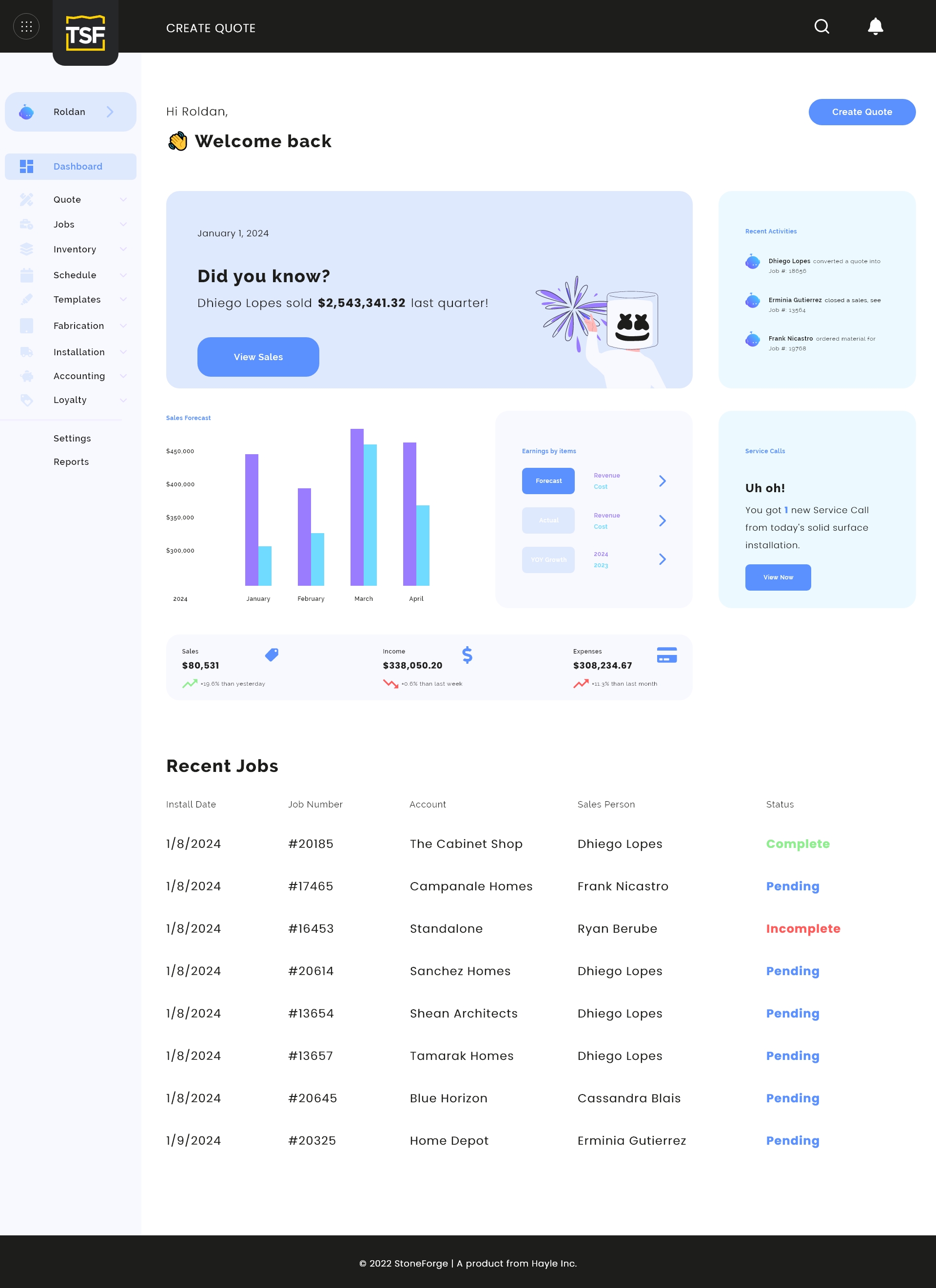
The administrative dashboard brings sales, service calls, recent activity, financial indicators, and current jobs into one useful starting point. Teams can understand the state of the business before moving into the details.
Installation calendar
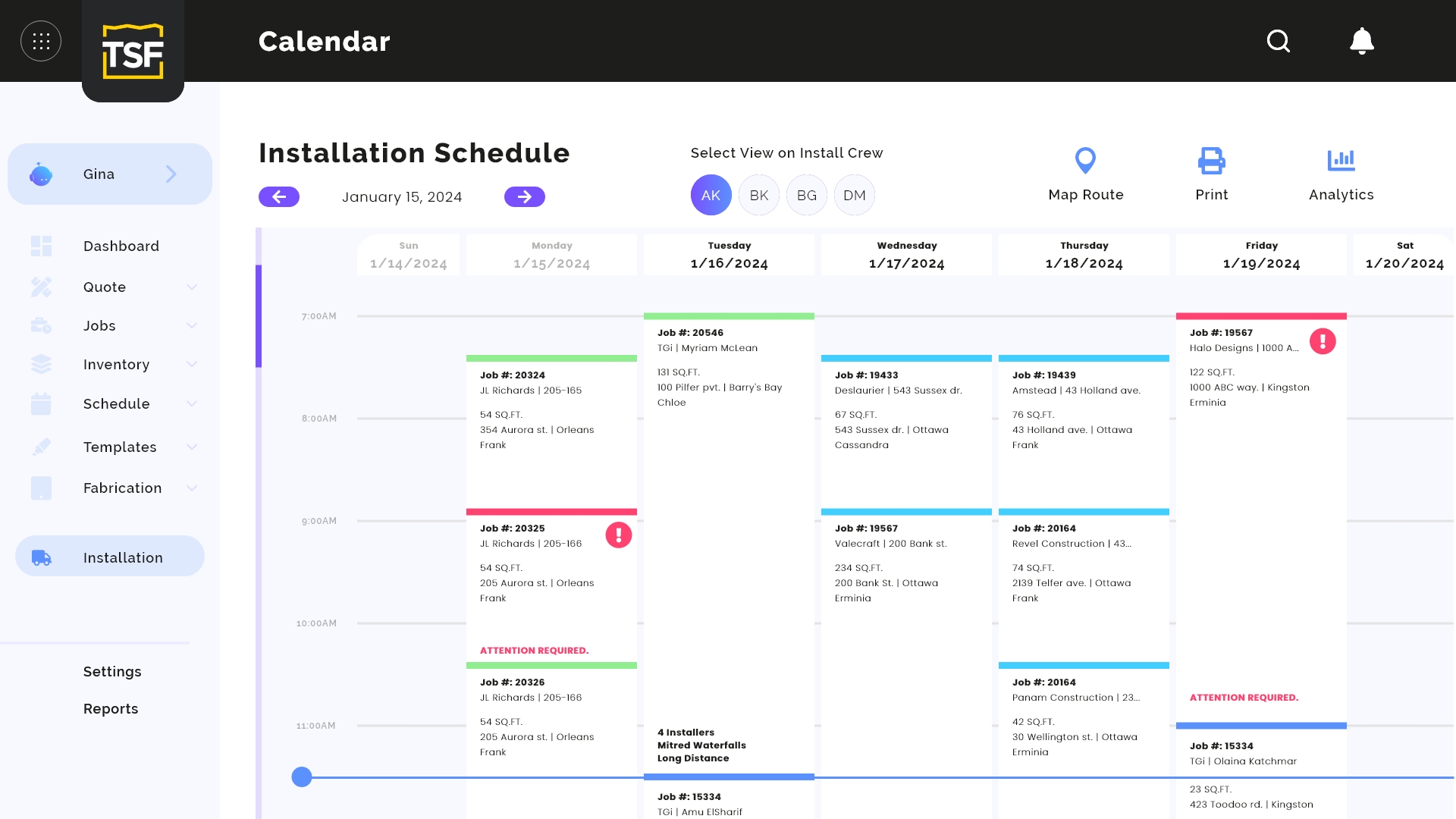
The calendar organizes installation jobs by date, time, crew, and attention level. Office staff can see what is planned, identify conflicts, and understand each crew's workload without rebuilding the schedule in another tool.
Quote detail
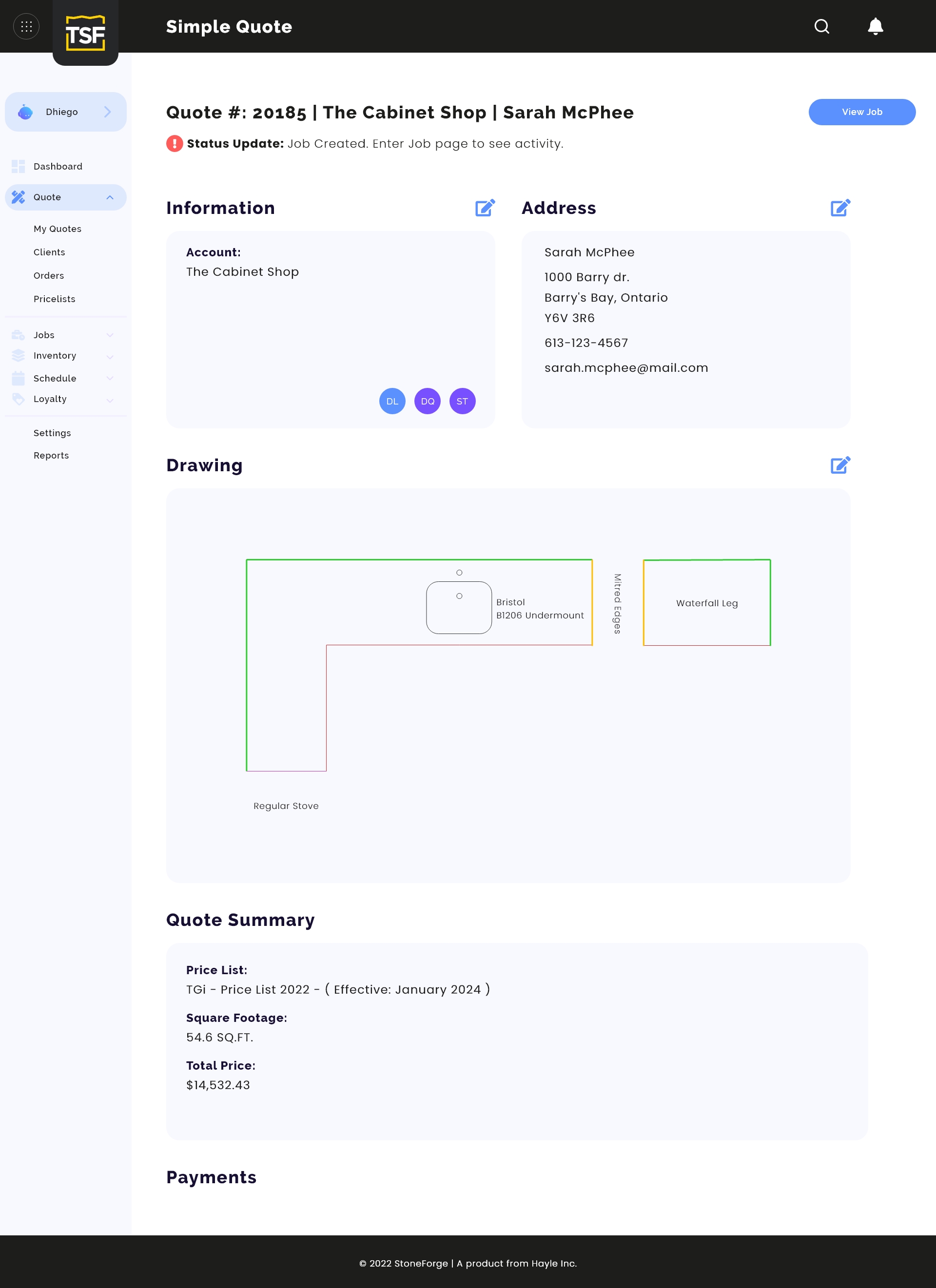
StoneForge gives estimators a visual record of the proposed work instead of describing complex pieces only with text. Customer information, the drawing, assigned collaborators, measurements, and the quote summary remain connected as the job moves forward.
Inventory
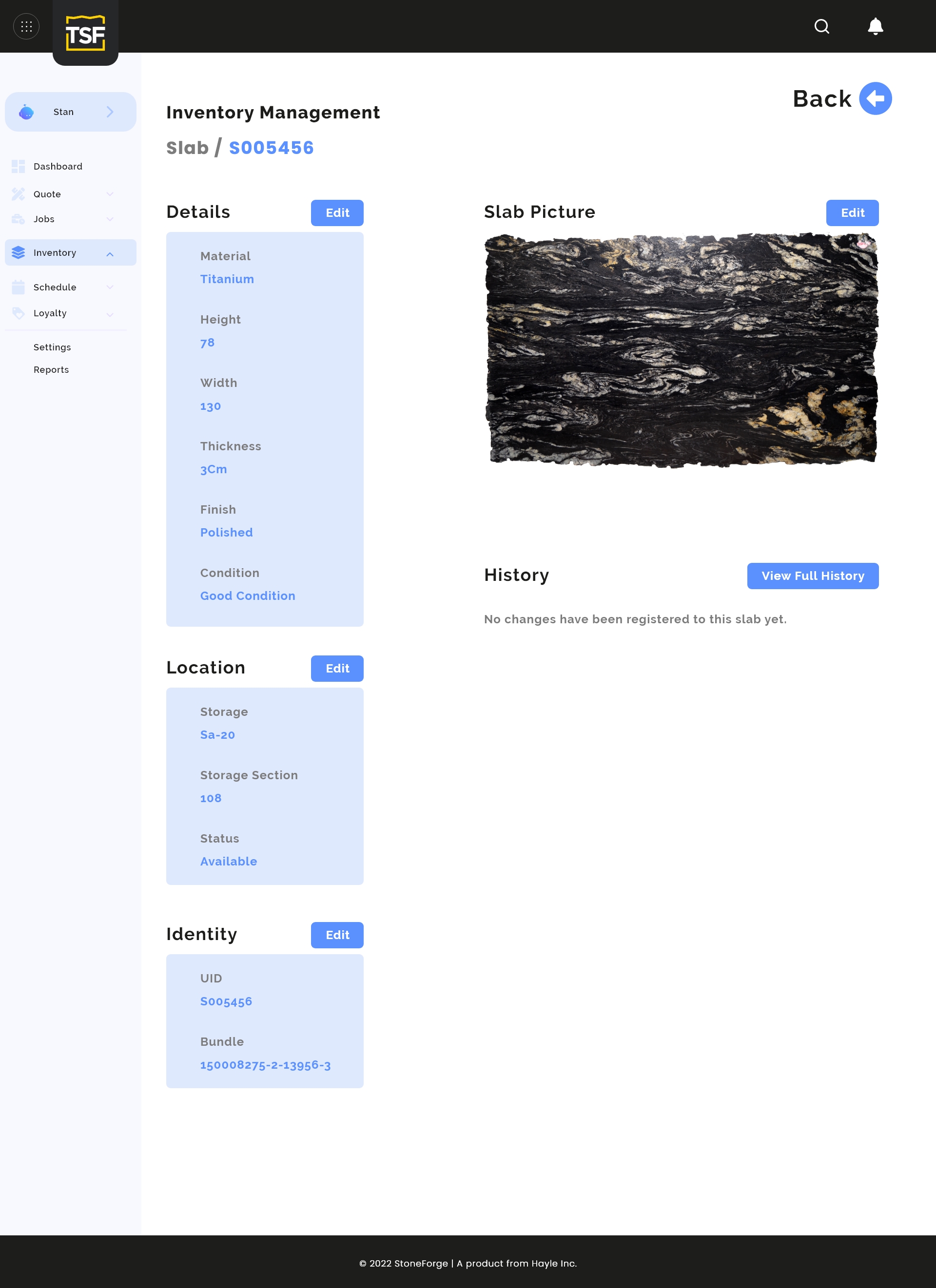
Each slab can carry the information the team needs to sell and use it confidently: material, dimensions, thickness, finish, condition, location, photography, and change history.
What Hayle brought together
StoneForge is not a generic task board with stone-industry labels. Its structure follows the actual work: drawing the piece, pricing it, confirming material, scheduling production, and keeping the shop informed. That domain-specific approach is what turns software into a useful operating system for the business.
Start a project
Tell us what you have in mind. We'll help you define the next step and get it moving.